Gameplay
Notice: These docs are in progress and may be incomplete. If you have any questions or feedback, please let me (@thedevbird) know in our Discord server.
Comms
Sending commands with text (called "shorthand")
Select an aircraft by clicking it in the radar or type its callsign into the chatbox. Then, write the command you want to run (see the in-game Command Reference or the web version here), pressing enter to send it.
Sending commands with your voice
To use your voice, you'll need to add an OpenAI API key in the launcher, as explained in full in this doc.
Once that's set-up, simply press and hold the spacebar to record a command. This will transcribe your voice locally, then send the resulting transcription to a cloud LLM to turn that transcription into valid ATC commands.
If you mess up during recording, while the spacebar is still pressed down, you can press the Escape (Or "Esc") key to discard the recording. Note that this can only be done while spacebar is pressed.
Air control (approach and departure)
Airwave provides two major roles for the air controller: Approach and departure.
Alpha Note: "Center" or en-route control (ARTCC) is not yet implemented as a full-on dedicated role, though you can still adjust aircraft while their en-route if you'd like (no restrictions).
Arrivals
Airwave randomly positions 11 airports (and airspaces) around the game world on startup.
Alpha Note: We only have KSFO modeled as of now, so this model is used for the main airport and the other random airports. We plan on adding more in the future, of course, along with placing airports as they are in the real-world once they're modeled.
Your Airspace
In the approach view, you'll see the circular boundary of your airspace.
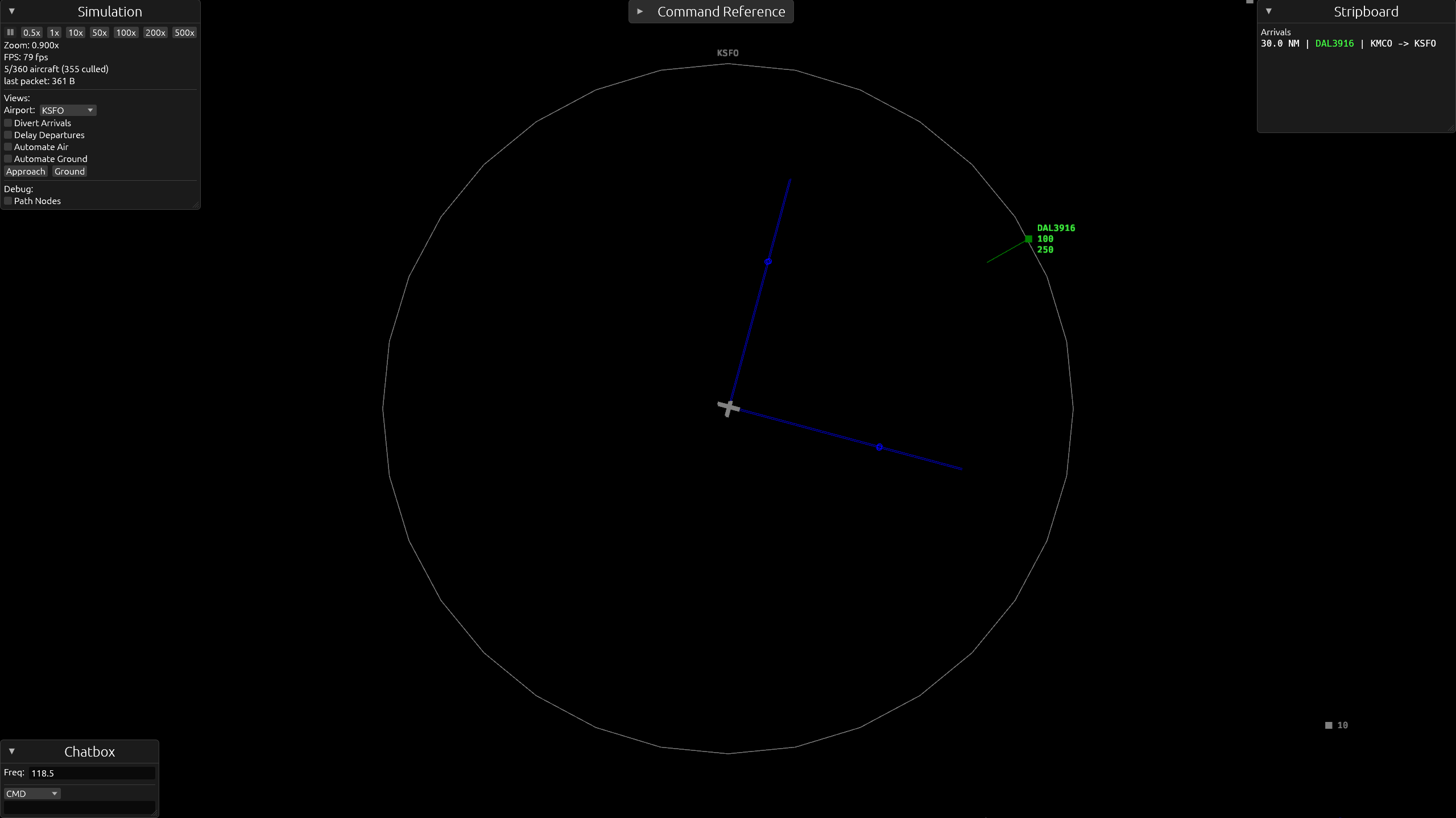
Aircraft within your airspace are under your jurisdiction. Once an arrival enters your airspace, it's yours.
Arrivals are green, departures are blue (more on them later). Grey aircraft are unrelated to your airport, and aren't your responsibility.
Alpha Note: Arrivals don't follow STAR or other waypoints as no waypoint-based procedures exist yet. Instead, they fly direct to your airport.
Vectoring for approach
Arrivals want to land (any runway you choose). Vector them using heading commands, adjusting speed if necessary (180-250kt).
For example:
Voice: "American 8450, turn left heading 120 degrees, descend and maintain 4,000 feet."
Shorthand:
AAL8450 hdg 120, alt 040
Altitude should around 2,000ft to 5,000ft for landing. The dot on the localizer line shows the minimum distance an aircraft at 4,000ft can enter the approach at.
RBL tool
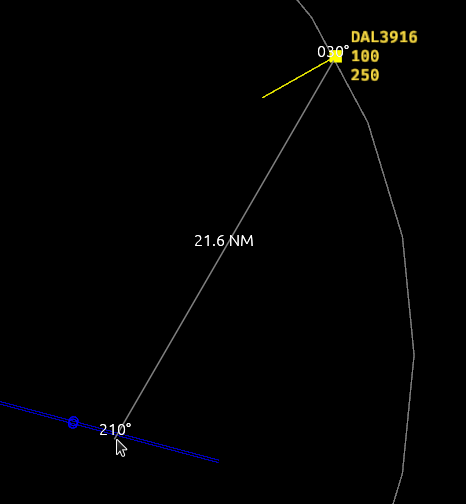
This tool helps with finding right heading to give an aircraft and measuring distance. Right-click and drag to calculate the distance and bearing between the start and end points of the drag.
Landing
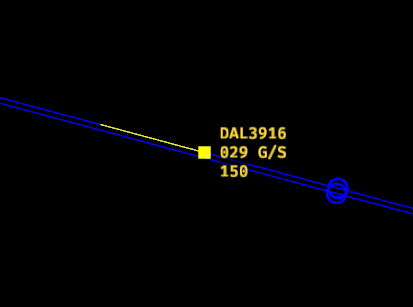
Once you clear an aircraft for approach, it will land without further instruction. If multiple people are managing an airport, one on tower and ground, and one on approach and departure, the tower/ground controller may use the "Cleared to land" phraseology if they wish (just for practice), but it won't do anything if the aircraft is already on approach or landing.
For example:
Voice: "Delta 3916, cleared ILS approach runway two eight right."
Shorthand:
DAL3916 cl 28r
Departures
Departures (blue) are yours once they're past 2,000ft after takeoff.
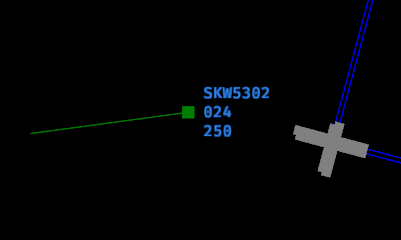
They automatically follow their flight plan (direct to their destination) and don't need your attention.
However, if they might interfere with your arrivals or other departures, you can vector them accordingly. Make sure to place them back on their flight plan before they leave or once they're clear of the conflict so they go back on their way.
Voice: "Skywest 5302, resume as filed." or "Skywest 5302, resume own navigation."
Shorthand:
SKW5302 raf
Ground control (tower and ground)
Airwave also provides ground operations, including tower. Both are designed to be one role, where a player takes on both responsibilities of tower and ground, such as clearing takeoffs and issuing go-arounds, along with their duties as ground.
Alpha Note: This may change in the future as we improve the realism and scope of operations for each role. For now, tower and ground can be considered the same role & facility.
Ground Radar
To access the ground view of your airport, simply zoom in far enough or use PageUp and PageDown to quickly switch between them.
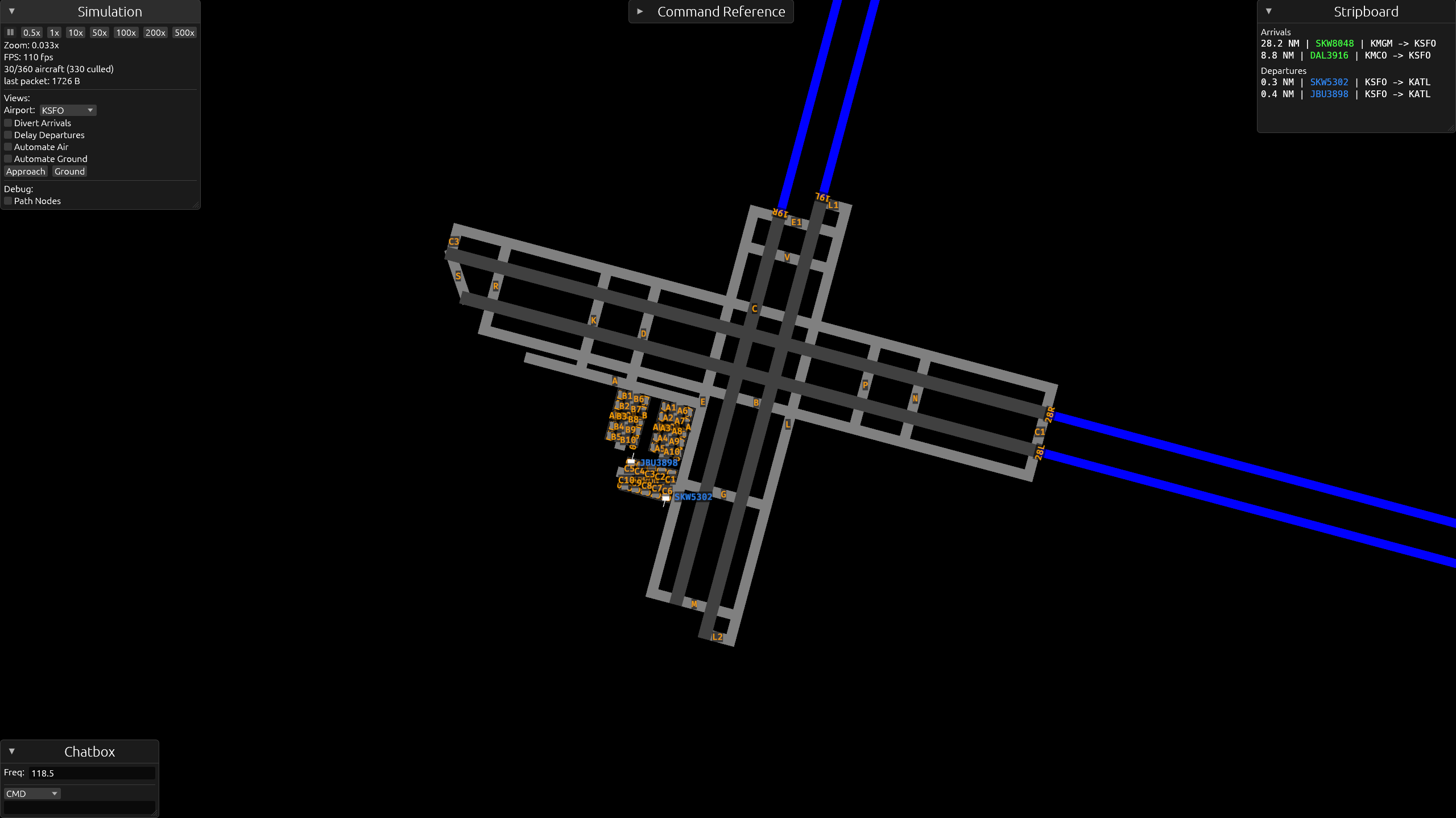
Your main responsibility of ground control is taxiing deparutures from the gates to a runway, and arrivals from a runway to the gates.
Taxiing Departures for Takeoff
Dormant aircraft (grey) that are parked at a gate will turn into departures (blue). The "spawning" is handled by the spawn system.
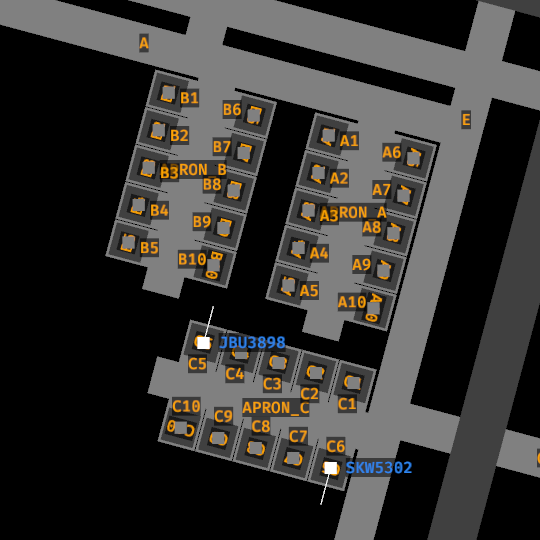
Once a departure shows up, taxi them to any runway of your choosing.
Alpha Note: Pushback is planned, but has not implemented yet. For now, once a departure becomes available, you can taxi them immediately (no pushback).
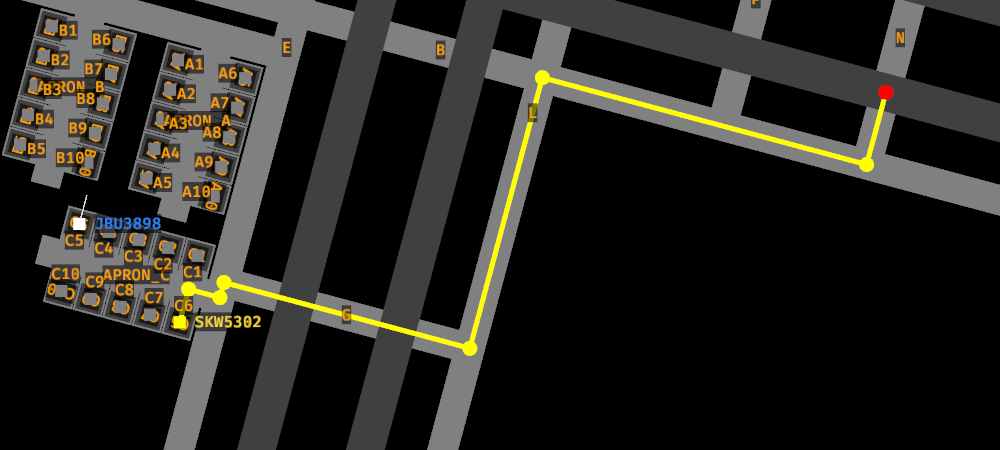
Before issuing a taxi command, it's recommended to select the aircraft first so you can verify the taxi path that's generated before moving onto other aircraft or responsibilities.
Taxi commands can be done in one shot, or progressively. Let's go over the former first.
Example of a one-shot taxi command.
Voice: "Skywest 5302, runway two eight right, taxi via Golf, Lima, Bravo, November."
Shorthand:
SKW5302 tx short 28r via g l b n
Progressive taxi, using the same "taxi" command, allows you to move aircraft arbitrarily without requiring a runway or gate to be the target. You can simply say:
Voice: "Skywest 5302, taxi short of Lima via Gold."
Shorthand:
SKW5320 tx short l via g
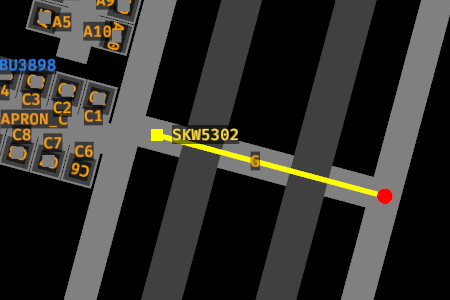
And the aircraft will hold at Lima, waiting for further instruction.
This is is useful for managing congestion, such as moving aircraft to arbitrary holding points to keep your taxiways clear while waiting for available gates.
Runways and Crossing
Aircraft will always hold short of a runway in their taxi command. To let an aircraft cross a runway (or taxi onto it), say "cross" before the runway.
Voice: "Skywest 5302, taxi to Bravo via Alpha, cross runway one eight left, Charlie."
Shorthand:
SKW5302 tx b via a cross 18l c
Alpha Note: Only runways that are in the taxi command are held short of. If the generated taxi path crosses a runway you didn't mention, the aircraft will cross it without stopping, so make sure to check the path first. This will be fixed once the pathfinder is rewritten.
To move an aircraft onto the runway for departure, use line up and wait or cleared for takeoff (below).
Takeoff
Once an aircraft is on it's way to a runway, you can tell it to line up and wait or clear it for takeoff. They don't need to be holding short of the runway to do this, as long as they have the runway on their path, you can instruct either.
A line up and wait command will instruct the aircraft to line up and wait on a runway.
Voice: "Skywest 5302, runway two eight left, line up and wait."
Shorthand:
SKW5302 lu 28l
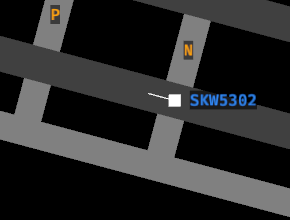
Takeoff works as you'd expect.
Voice: "Skywest 5302, runway two eight left, cleared for takeoff."
Shorthand:
SKW5302 ct 28l
Before taking an aircraft off, make sure to check for incoming landings so they don't collide with the landing aircraft. While in the ground view, the runway alerts at the top of the screen show which runways are in use: LDG means an aircraft is landing on that runway (2NM out), and OCC (red) means the runway is currently occupied.
For a better picture of the landing traffic, switch to the air view (PgUp).
Alpha Note: It is not yet possible to abort a takeoff, though this is planned for future releases.
Taxiing Arrivals to Gates
Once arrivals are stopped on a runway, you can taxi them to a gate.
Pick any gate you'd like them to go to and issue a taxi command to it.
Voice: "Delta 3916, taxi to gate Alpha One via Delta, Alpha."
Shorthand:
DAL3916 tx gate a1 via d a
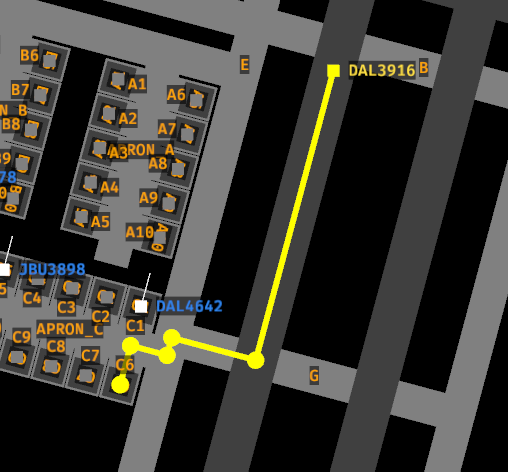
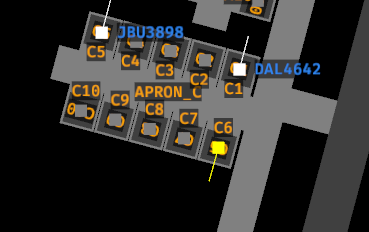
Once parked at a gate, arrivals will become dormant (grey) and no longer need your attention.
Command reference
View the command reference in the in-game window or view it online here for a list of all commands and how to use them.